Appearance
Choosing the Layout for a Tab
EquationWebClientTabSettings.layout_type supports three layouts: combined, split, and parametric.
Split Layout (split)
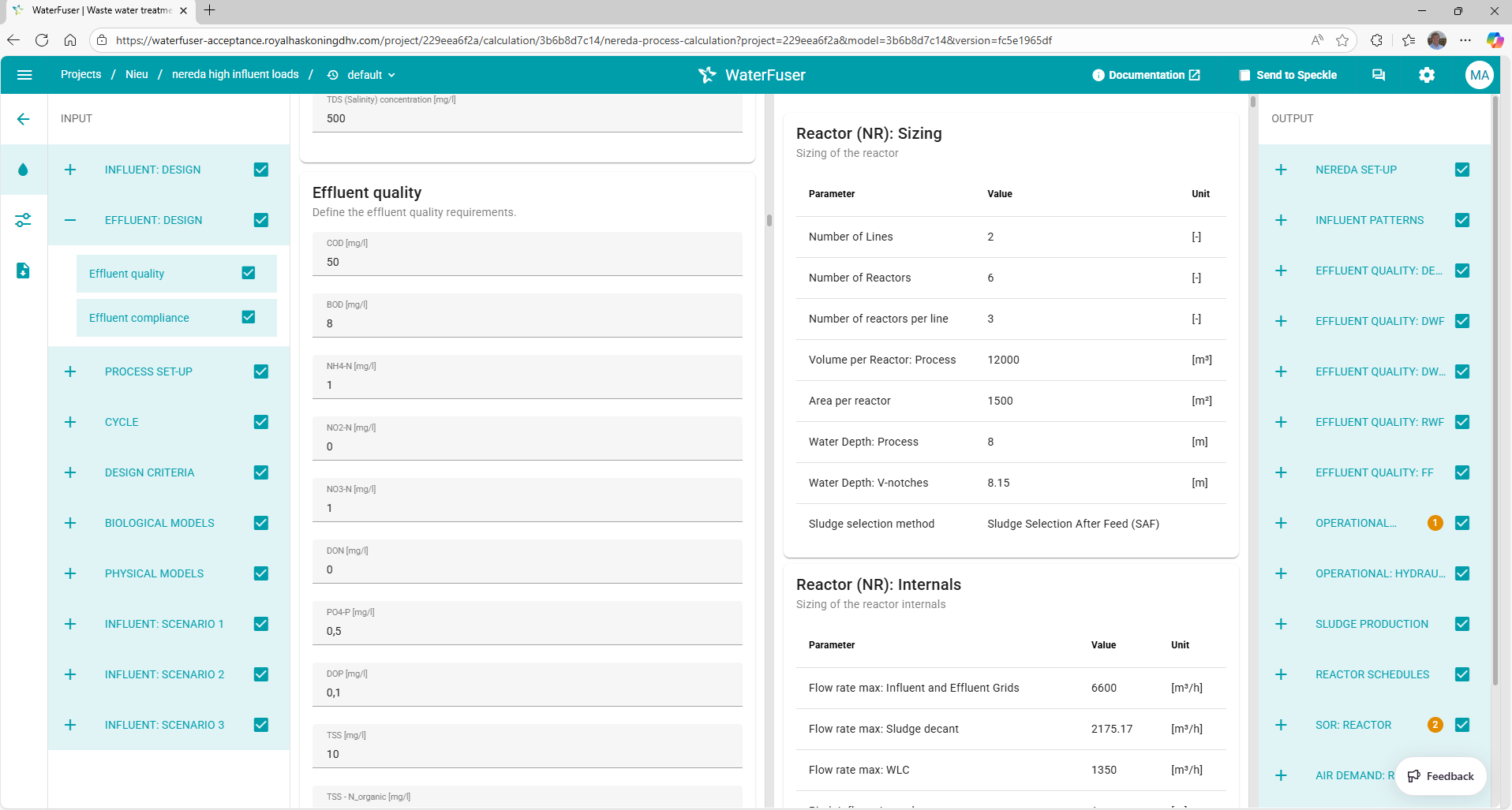
Use this for classic engineering workflows where inputs and outputs are shown side-by-side. One set of input parameters runs through a function and results in a single set of output parameters.
Combined Layout (combined)
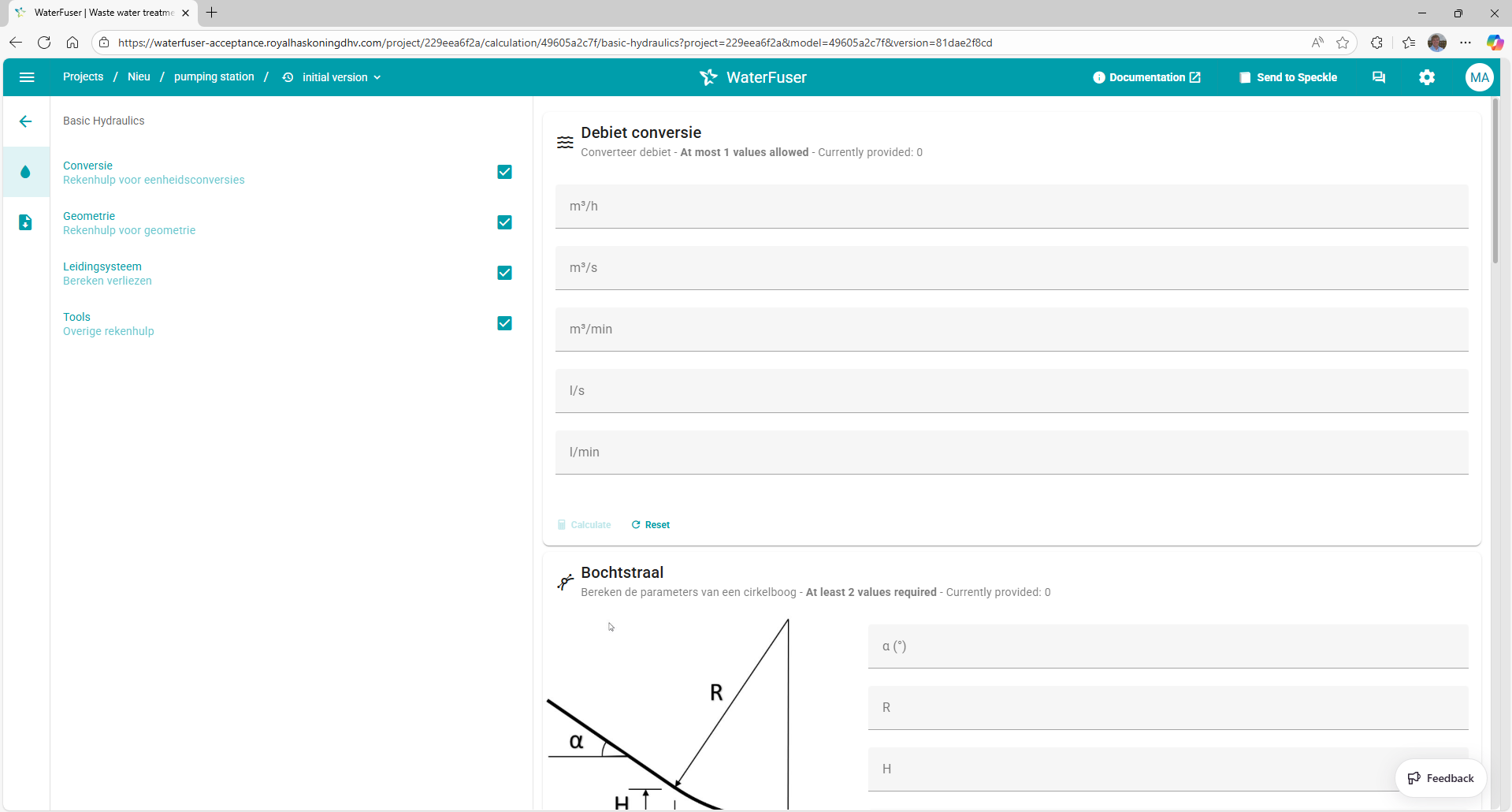
Use this when inputs and outputs should be shown together in one tab flow with more modular grouping. Provides access to individual functions with separate inputs and outputs that are not connected.
Parametric Layout (parametric)
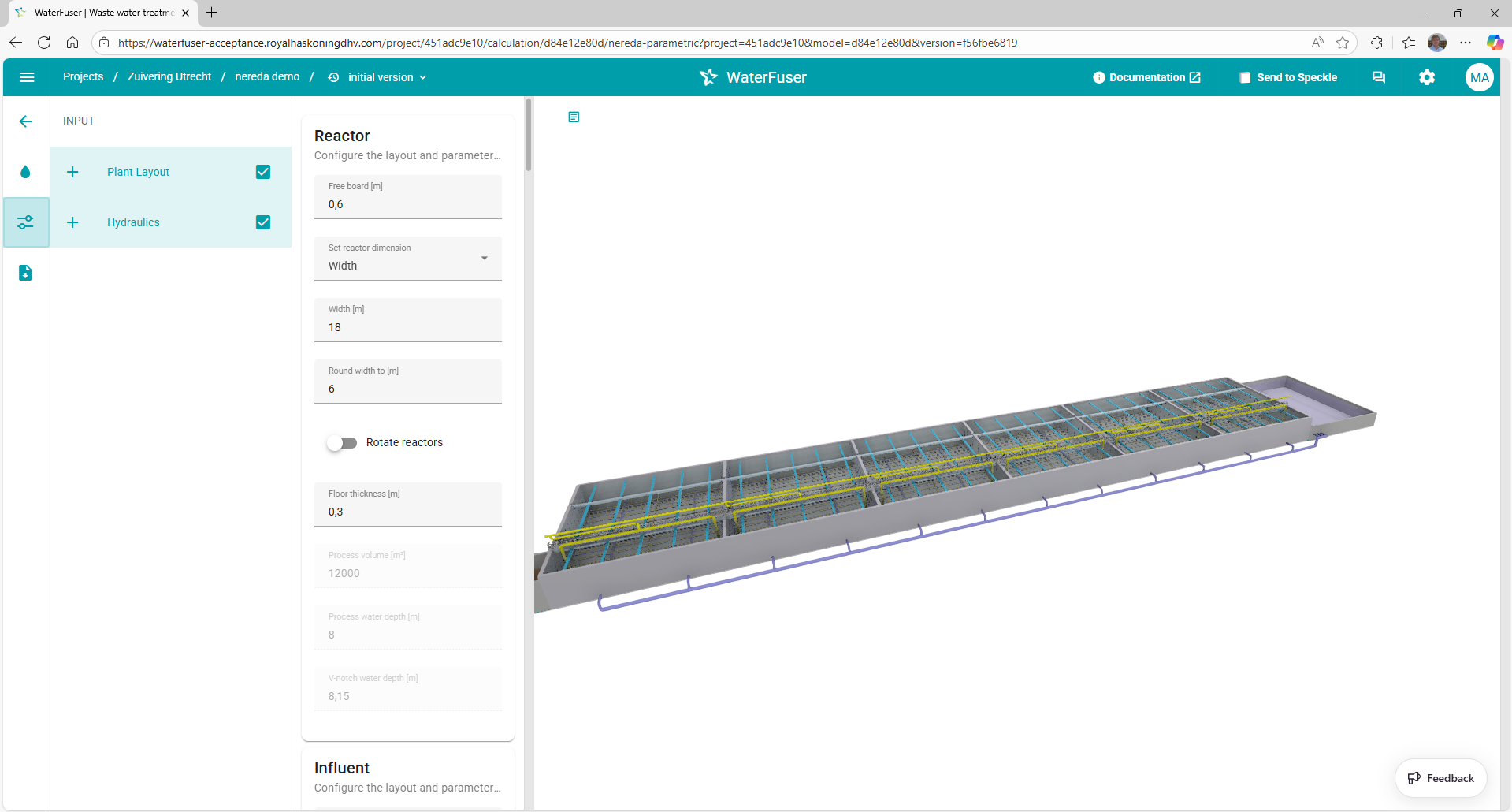
Use this for 3D and parametric workflows to run Grasshopper scripts in the browser. Get in touch with the platform admins if you'd like to use this.
Configuration Example
python
from haskoning_equation import EquationWebClientTabSettings

tab = EquationWebClientTabSettings(
    tab_name="Process Calculations",
    tab_icon="calculator",
    trigger_type="automatic",
    layout_type="split",  # "combined", "split", or "parametric"
    core_endpoints=["/calculate"],
)
Next Steps
- Explore UI styling options for your chosen layout
- Review application structure for complete settings details